Burst, synced
Trinkets, potions and racials line up with your real cooldown window, not just whenever they come off cooldown.

Drop-in rotation profiles for Inferno. Your cooldowns, trinkets, potions and racials fire together inside the burst window, automatically. You play the mechanics.
Every profile is written for its own spec and hero trees, not one generic loop reskinned for every class.
Trinkets, potions and racials line up with your real cooldown window, not just whenever they come off cooldown.
Each profile reads your talents and switches priorities for your hero tree, single target and AoE.
It never pulls for you. Manual targeting by default; auto-targeting stays off unless you turn it on.
One click in the launcher checks and updates every installed profile. Your settings are kept.
Every class has a profile today. The remaining specs are in development and open to beta testers as they pass testing.
Midnight 12.1.5. One profile per class today, with the rest of the specs rolling out to beta testers.
Profiles for Blizzard's new Classic+ version are in development. Join the Discord to hear first.
Status is honest: "Beta testing" means the profile is built and tested offline and is now being proven in real keys and raids with beta players.
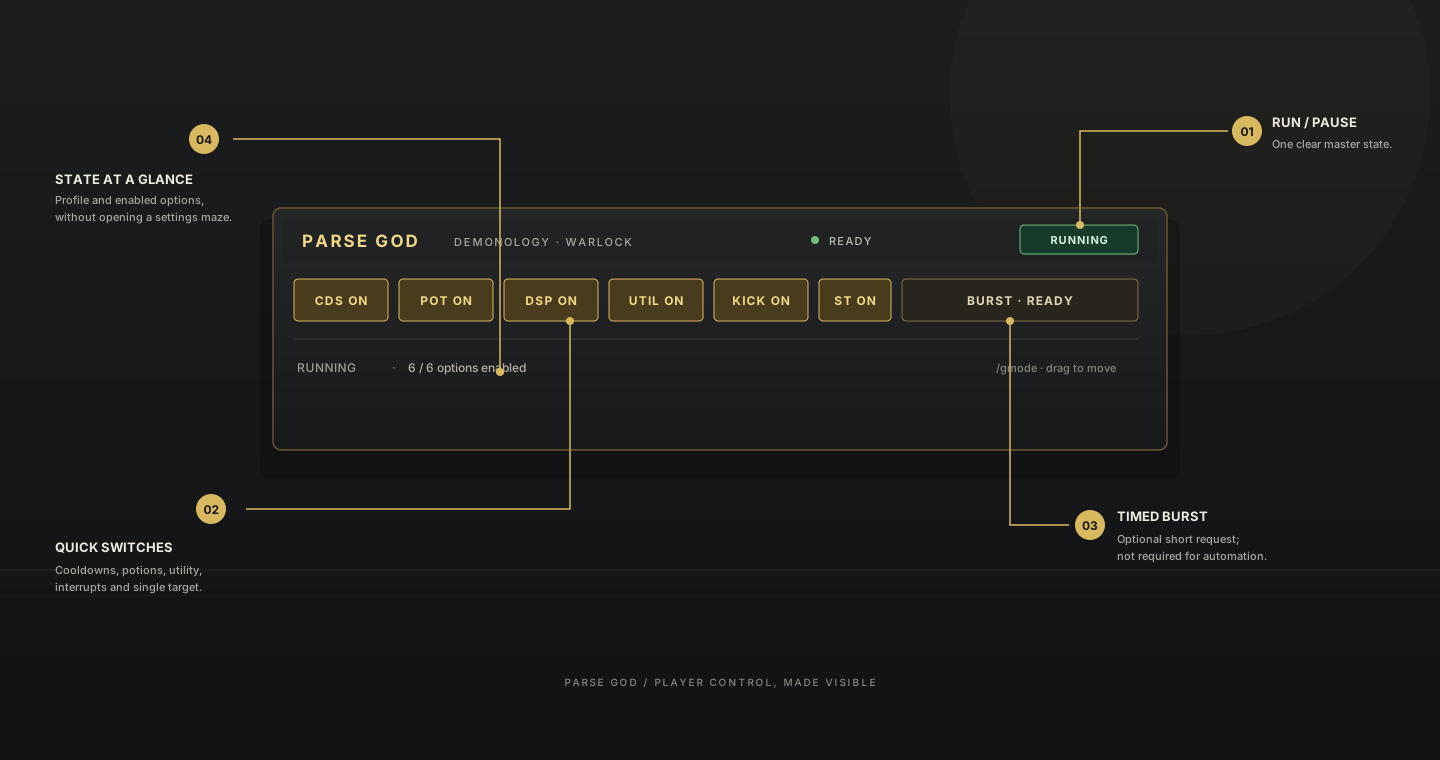
Run/Pause, cooldowns, potions and utility at a glance, plus a live status line so you always know what the rotation is doing. Drag it anywhere, or hide it with /gmode.
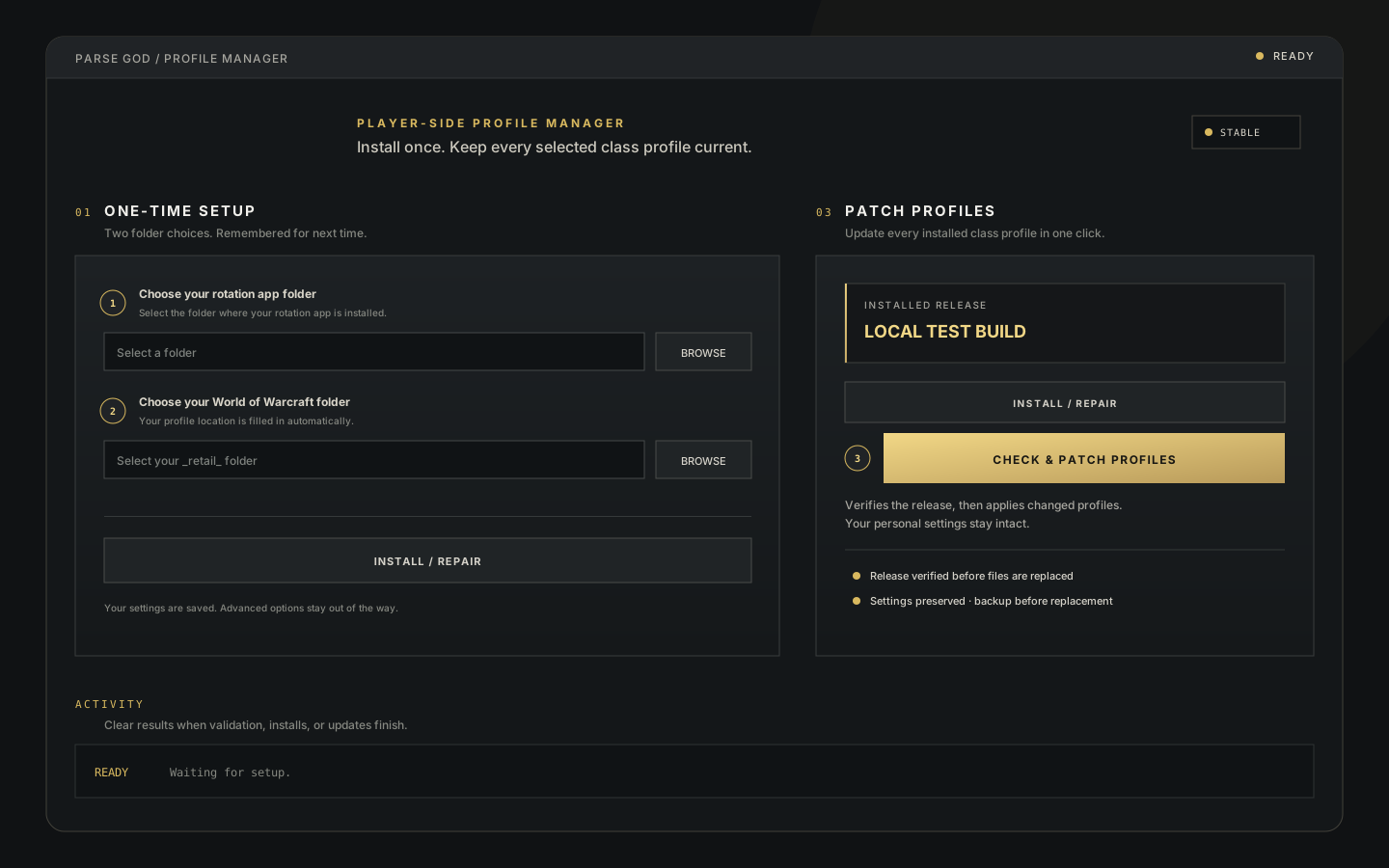
No command strings or manual file copying in the normal flow. Point the launcher at your rotation app and your WoW folder once. It installs every profile you own and keeps them updated.
Full setup guide and settings help live in the Discord #install-guide. Stuck? Open a support ticket; never send your password or license key.
High output matters. So do clear decisions, safe behavior, and knowing when the system is waiting. Parse God is being developed for documented rotation interfaces and offline simulation—not hidden game hooks or protected-action bypasses.
Anything not covered here, ask in the Discord.
World of Warcraft (Retail) and your rotation app installed. The Parse God launcher handles the rest.
No. Profiles never start combat, and auto-targeting is off by default.
Every class has one spec today (see the list above). More specs open to beta testers as they pass testing.
The beta is invite-only. Join the Discord or request access by email, and you'll get a key that unlocks the members' channels.
Any third-party automation carries account risk under the game's terms. Use it at your own discretion.
Open the launcher and click update. Only changed profiles download, and your settings are kept.
The beta is invite-only and small on purpose: real keys, real raids, fast fixes. Tell us your class, spec and what content you push, and we'll send you a key.